Oct 22, 2026
What's New With IM360° Cool-Downs
Four updates to help you plan tomorrow’s lesson faster and smarter, together with your teaching team.
Kim Kays · 3 min read
Oct 22, 2026
Four updates to help you plan tomorrow’s lesson faster and smarter, together with your teaching team.
Kim Kays · 3 min read
In July, we launched the Cool-Downs feature in Coteach: students complete IM360° Cool-Downs on paper, you scan their work in, and Coteach suggests scores for you to review and approve before showing how each student is doing. We built it to support the work you already do and make it even easier to plan impactful next steps for every student.
Cool-downs are one of the fastest ways to see where your students are at the end of a lesson. The hard part has always been what comes after: collecting the papers, sorting them by class, and figuring out the most impactful instructional moves for tomorrow. Our latest updates help you get Cool-Downs into Coteach faster, see the analysis sooner, and work through next steps with your team.
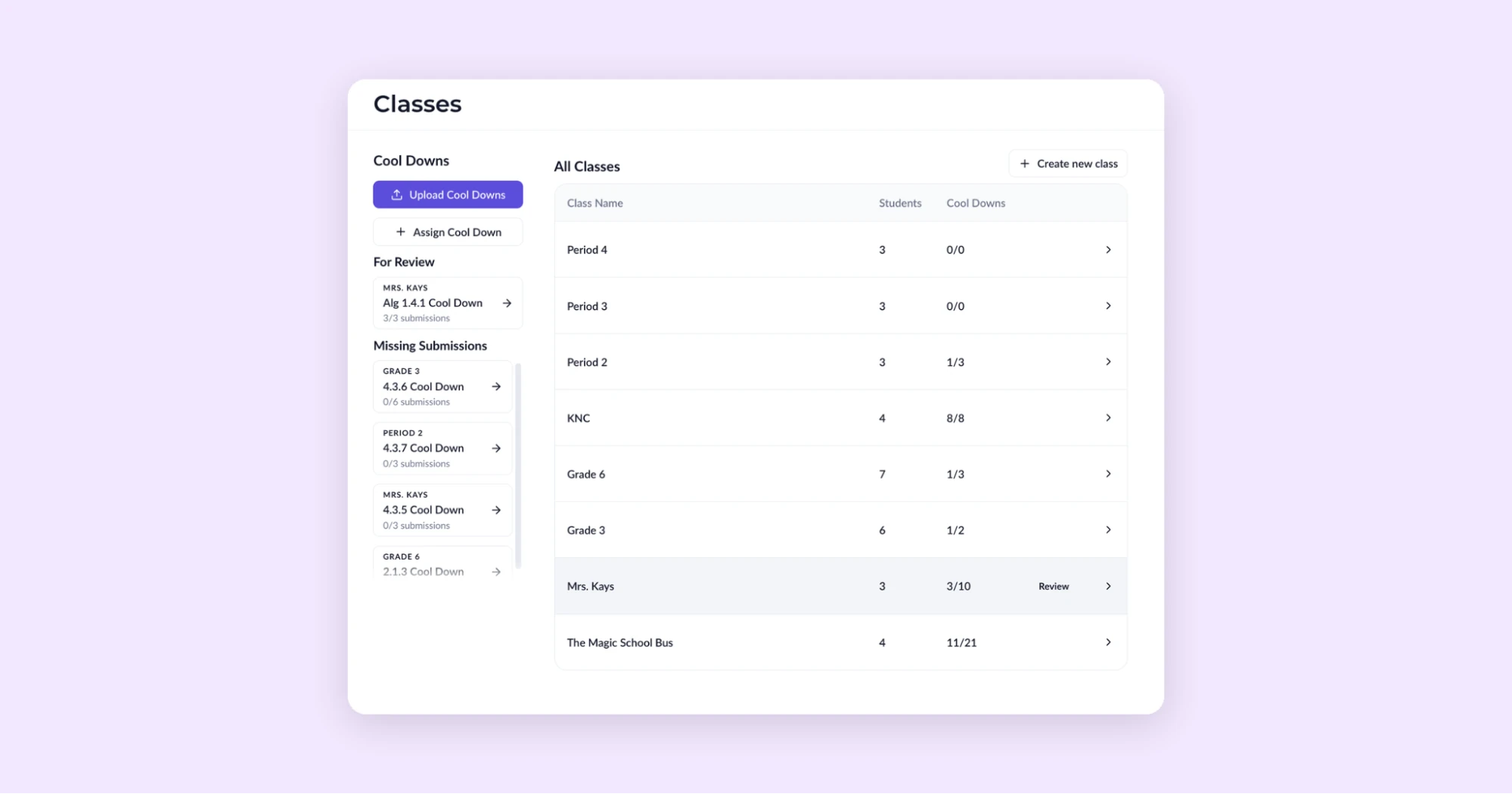
The All Classes page puts every class you teach side by side, with the Cool-Downs you've assigned, the reviews still waiting on you, and the students who haven't turned in work yet. You can see what needs your attention in one glance.
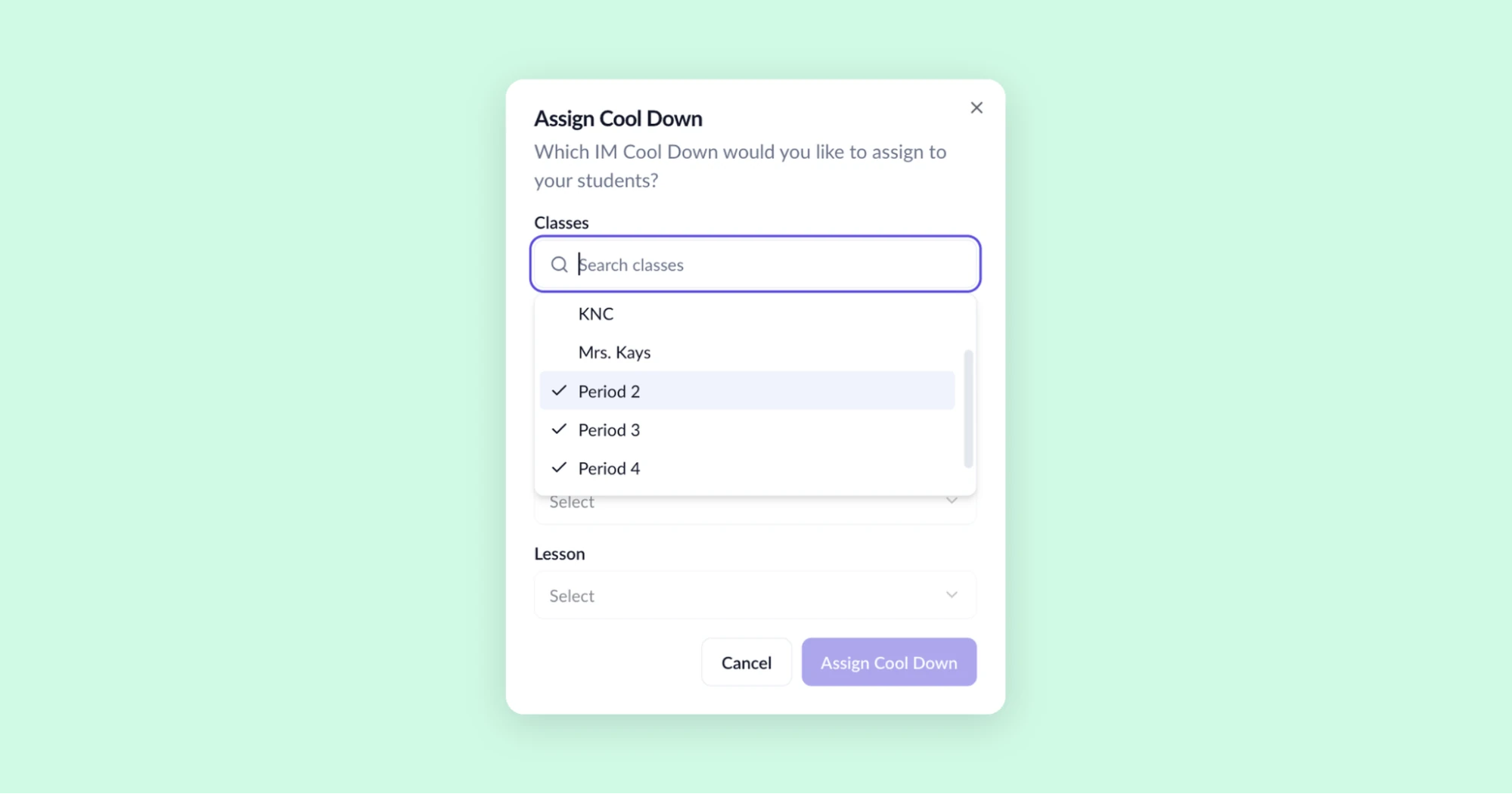
Teaching the same lesson to three sections? Now you can assign it one time to multiple classes.
When it’s time to upload, scan the whole stack at once, even if it holds Cool-Downs from several classes or several days. Coteach sorts each student’s work into the right class and the right Cool-Down, so your time goes to what students demonstrated and mastered, not to sorting paper.
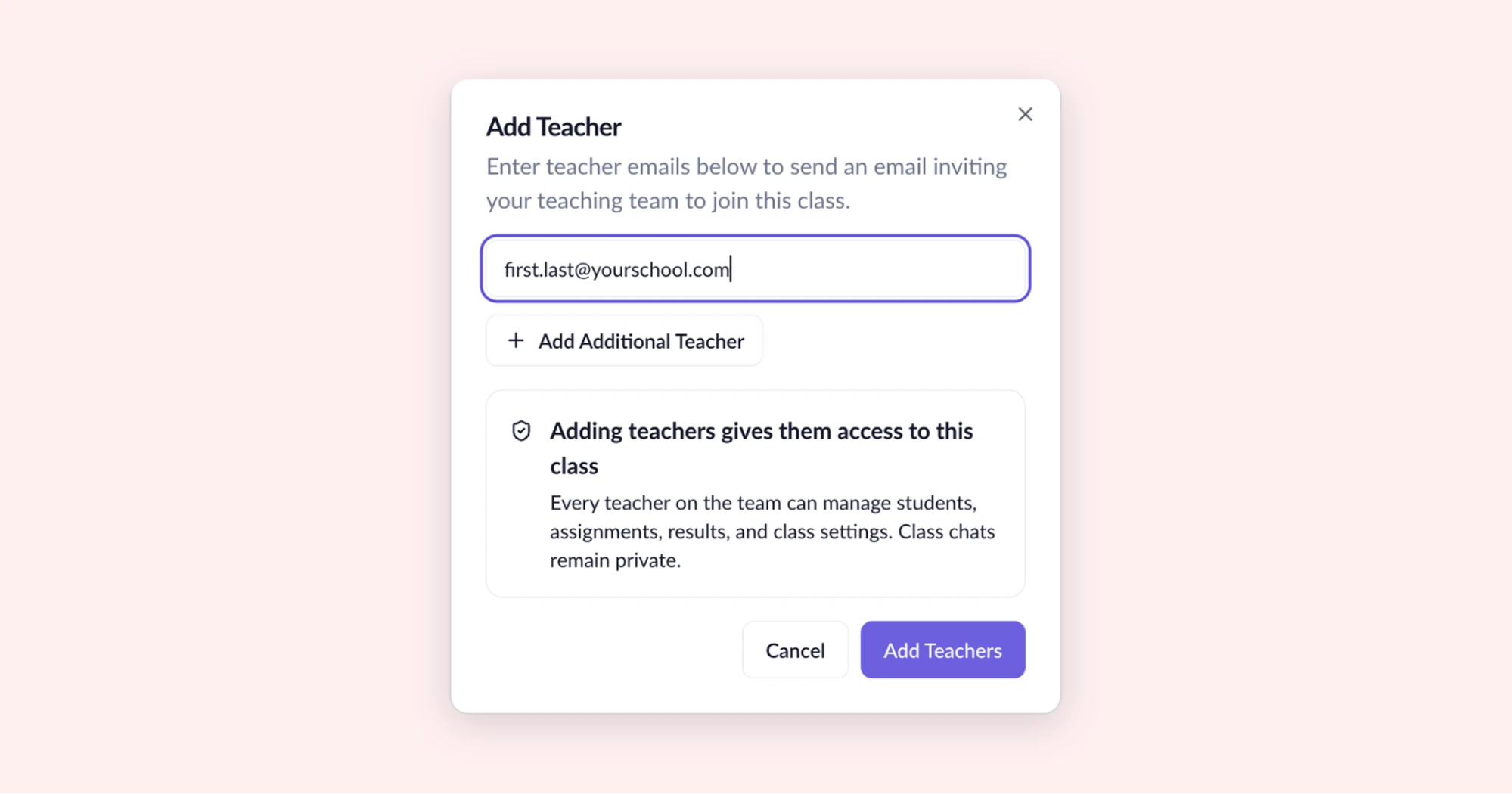
Most teachers aren't looking at student work alone. Grade level partners, co-teachers, interventionists, and coaches all shape what happens next for your students. Now the people supporting your class can work in it with you: they can manage the roster, assign Cool-Downs, upload student work, and look at results. They can also start their own class chats to help plan the right support, while your own chats stay private.
When everyone sees the same student work, your team can skip the catch-up and get straight to planning.
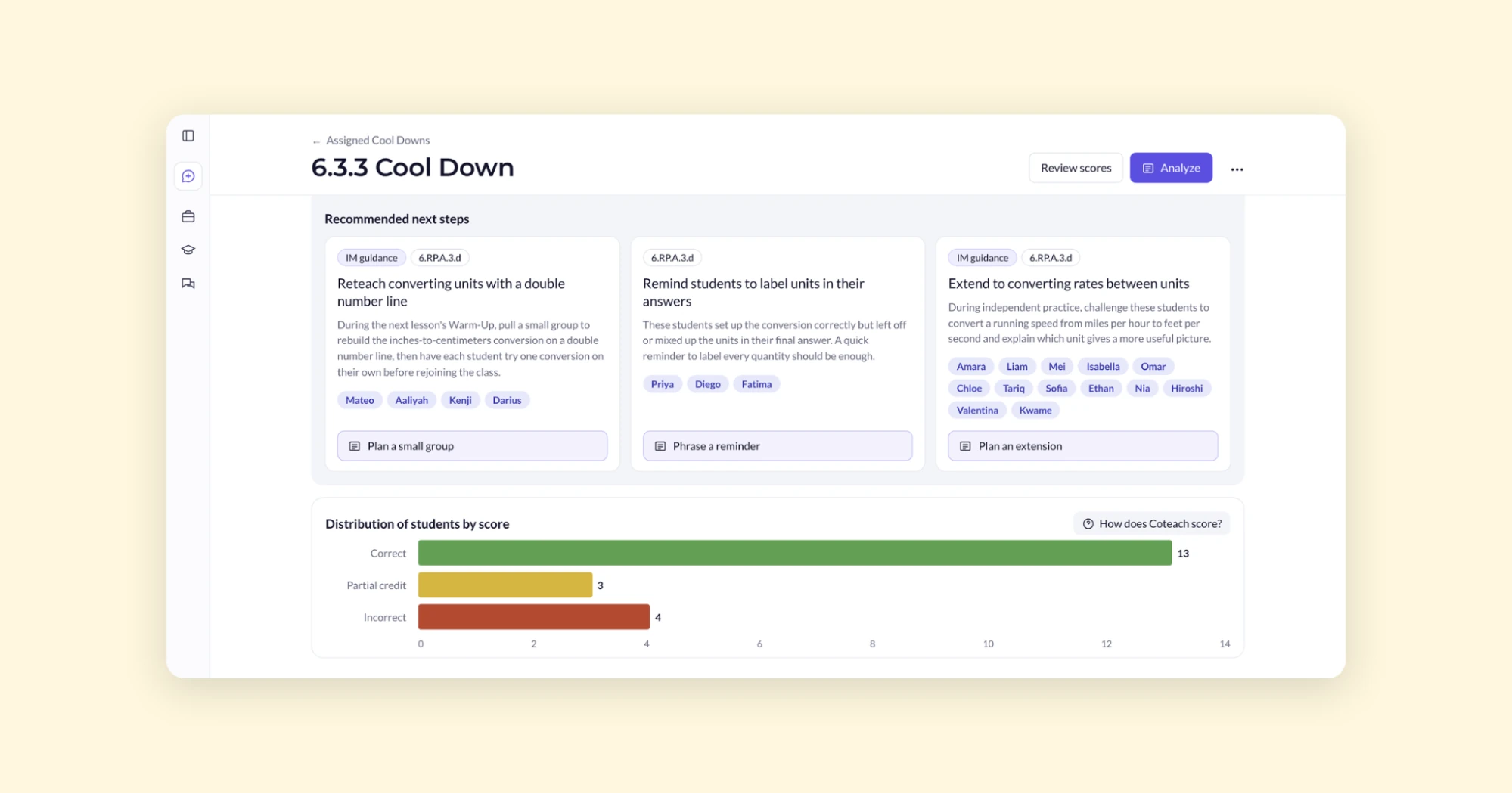
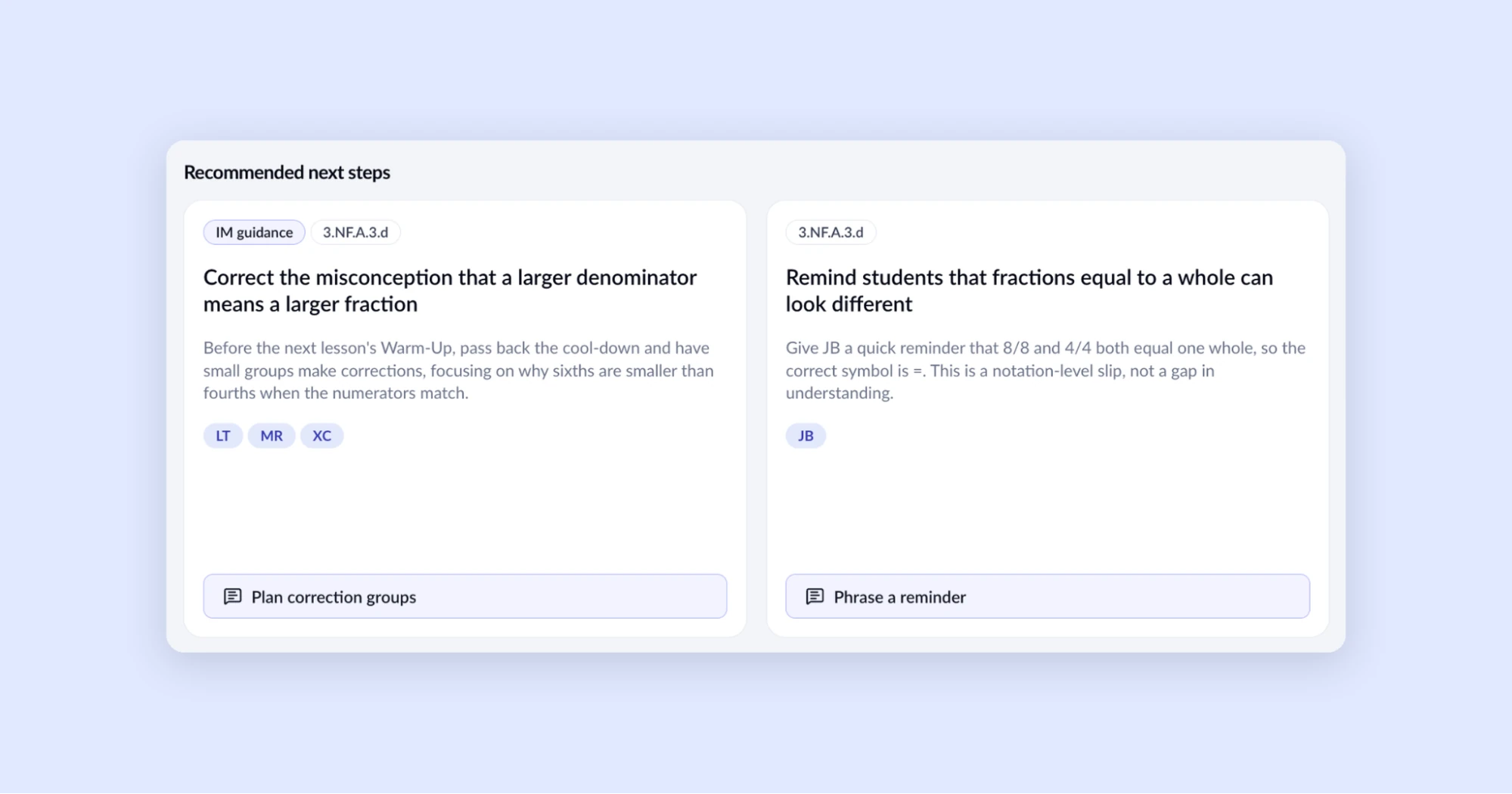
After you review scores, you’re ready to decide what happens next. Now, Coteach has suggestions waiting for you. You'll see two to three next steps based on how your students did.
The IM360° guidance, the standard the Cool-Down covers, Coteach's recommendations, and each student's work are all on the same screen, so you can check a recommendation against what students actually wrote. You decide what to use, and you can work through any recommendation with Coteach to turn it into a plan for your next lesson.
All of these updates are live now. Head to your All Classes page to try them out!